
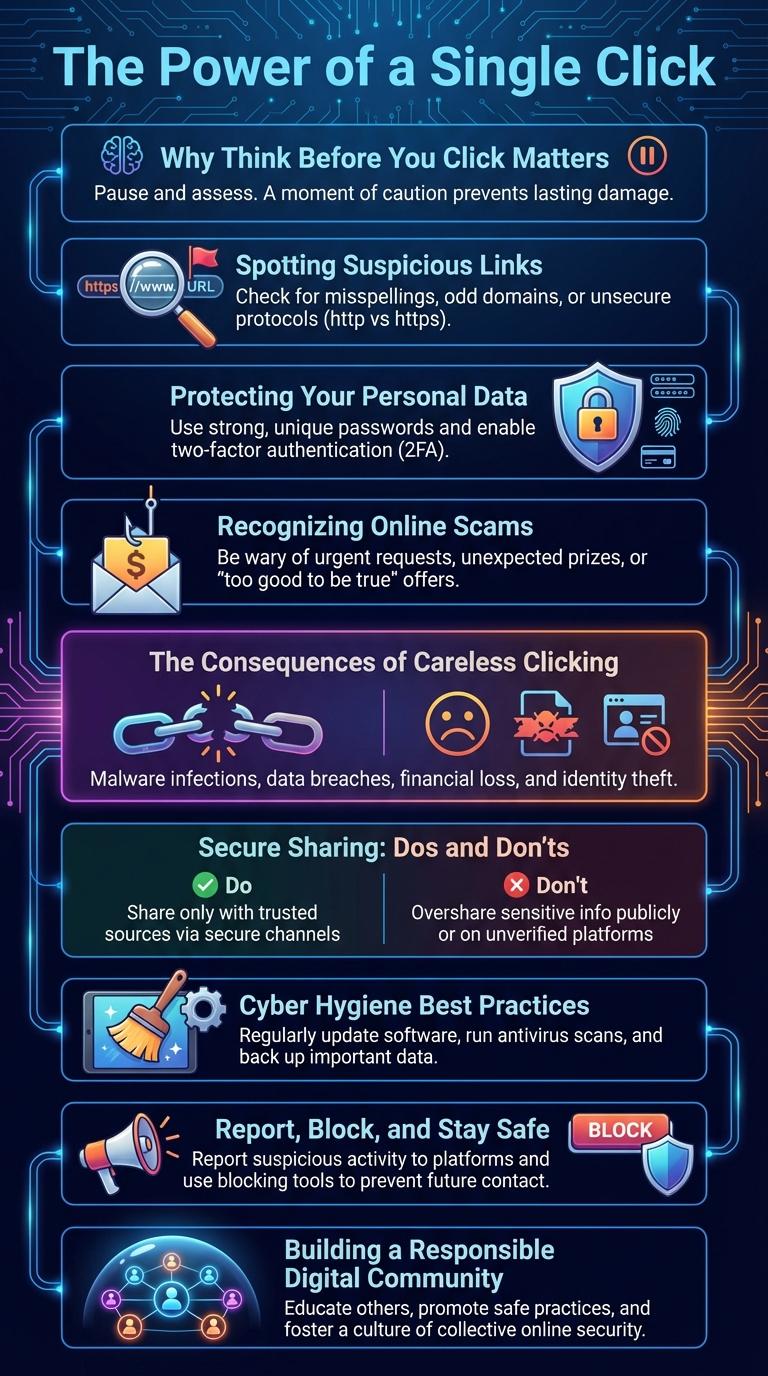
Cybersecurity threats increase when users click without caution. Phishing scams, malware, and data breaches often result from impulsive clicks on suspicious links. Practicing mindful clicking habits helps protect personal information and maintain online safety.
The Power of a Single Click
The power of a single click can determine the safety of your personal information. Clicking on unknown links or attachments can lead to malware infections or data breaches.
Think before you click to prevent cyber threats and protect your digital identity. Always verify the source and legitimacy of online content before engaging.
Why Think Before You Click Matters
Thinking before you click is crucial in protecting your personal information and maintaining online security. A moment of caution can prevent significant digital risks and data breaches.
- Prevent Cyber Attacks - Avoid clicking on suspicious links that may contain malware or phishing schemes.
- Protect Personal Data - Secure your sensitive information from unauthorized access by verifying link sources.
- Maintain Device Security - Reduce the risk of infecting your device with harmful software through careful link evaluation.
Spotting Suspicious Links
Spotting suspicious links is crucial to maintaining online security and avoiding phishing scams. Look for URLs with unusual domain names, misspellings, or extra characters that don't match the expected website. Hover over links to preview the destination before clicking to ensure it directs to a legitimate and secure site.
Protecting Your Personal Data
| Tips to Protect Personal Data | Description |
|---|---|
| Verify URLs | Check web addresses carefully before clicking to avoid phishing sites. |
| Use Strong Passwords | Create complex passwords combining letters, numbers, and symbols. |
| Enable Two-Factor Authentication | Add an extra security layer to protect your accounts from unauthorized access. |
| Avoid Public Wi-Fi for Sensitive Data | Public networks increase risks; use VPN or secure connections instead. |
| Update Software Regularly | Keep operating systems and apps updated to protect against vulnerabilities. |
Recognizing Online Scams
Online scams are designed to trick individuals into providing personal information or money. Recognizing these scams is essential to protect your digital life.
Common signs of online scams include unsolicited messages, requests for sensitive data, and suspicious links. Always verify the source before clicking on any link or downloading attachments. Staying informed about the latest scam tactics helps you avoid becoming a victim.
The Consequences of Careless Clicking
Clicking without caution can lead to significant security risks and data loss. Awareness of potential consequences helps prevent cyber threats effectively.
- Malware Infection - Clicking on unsafe links can introduce viruses and ransomware into your system.
- Phishing Attacks - Careless clicks may expose personal information to hackers through deceptive websites.
- Financial Loss - Fraudulent links can result in unauthorized transactions and monetary theft.
Think carefully before clicking to protect your digital life and personal information.
Secure Sharing: Dos and Don'ts
Secure sharing protects your personal and professional information from cyber threats. Always verify the recipient's identity and use encrypted platforms when sharing sensitive data. Avoid clicking on suspicious links and never share passwords or confidential information publicly.
Cyber Hygiene Best Practices
Maintaining strong cyber hygiene is essential for protecting personal and professional information from online threats. Adopting safe habits can significantly reduce the risk of cyberattacks and data breaches.
- Verify Email Sources - Always check the sender's email address to confirm legitimacy before clicking links or downloading attachments.
- Use Strong Passwords - Create complex passwords and update them regularly to prevent unauthorized access.
- Enable Two-Factor Authentication - Add an extra security layer by requiring a second verification method for account logins.
Report, Block, and Stay Safe
Think before you click to protect your online safety. Reporting suspicious content helps keep platforms secure for everyone.
Block users who send harmful or inappropriate messages to prevent further contact. Staying safe online means being cautious about the links you open and the information you share.