
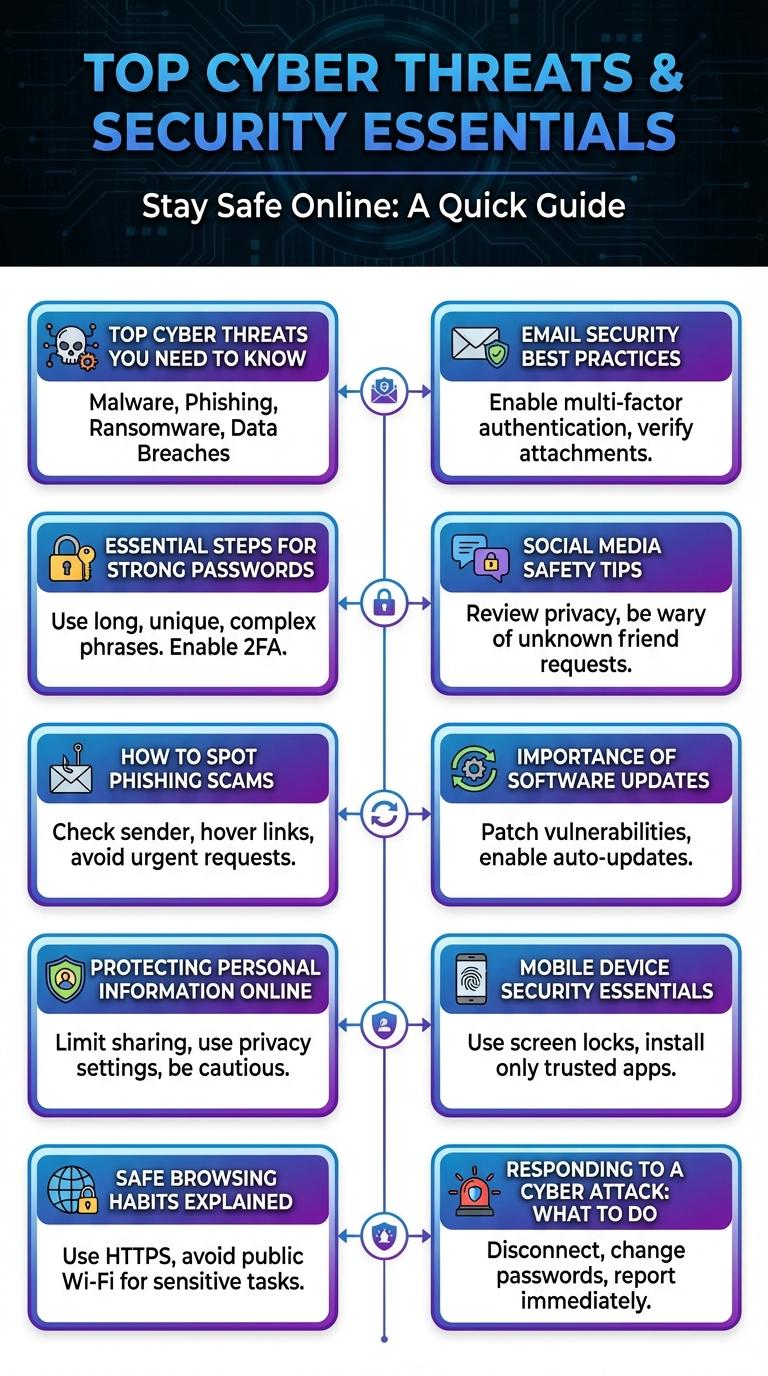
Cyber security awareness is essential for protecting personal and organizational data from increasingly sophisticated cyber threats. Understanding common risks such as phishing, malware, and data breaches empowers users to implement safer online behaviors. This infographic highlights key statistics, best practices, and practical tips to enhance security vigilance in everyday digital interactions.
Top Cyber Threats You Need to Know
Understanding the top cyber threats is essential for protecting personal and organizational data. Common threats include phishing attacks, ransomware, malware, and social engineering scams. Staying informed and implementing strong security practices can significantly reduce the risk of cyber incidents.
| Cyber Threat | Description |
|---|---|
| Phishing | Fraudulent attempts to obtain sensitive information through deceptive emails or messages. |
| Ransomware | Malware that encrypts files and demands payment for their release. |
| Malware | Software designed to disrupt, damage, or gain unauthorized access to systems. |
| Social Engineering | Manipulating individuals to divulge confidential information. |
Essential Steps for Strong Passwords
Creating strong passwords is a fundamental step in protecting your online accounts from cyber threats. Cyber security awareness emphasizes the importance of password complexity and regular updates.
Use a mix of uppercase letters, lowercase letters, numbers, and special characters to increase password strength. Avoid common words, easily guessed sequences, or personal information. Change passwords regularly to minimize the risk of unauthorized access.
How to Spot Phishing Scams
Phishing scams trick individuals into revealing sensitive information by pretending to be trustworthy sources. Recognizing the signs helps protect your personal data and digital identity.
- Check the Sender's Email Address - Verify if the email domain matches the official organization's domain to avoid fake senders.
- Look for Urgent or Threatening Language - Phishing emails often pressure you to act quickly to prevent negative consequences.
- Inspect Links Before Clicking - Hover over links to see the actual URL and avoid visiting fraudulent websites designed to steal information.
Protecting Personal Information Online
Protecting personal information online is crucial in today's digital age where cyber threats are increasingly sophisticated. Understanding the basics of cybersecurity helps prevent identity theft, data breaches, and financial loss.
Use strong, unique passwords for each account and enable two-factor authentication wherever possible. Avoid sharing sensitive information on public Wi-Fi networks and be cautious when clicking links or downloading attachments.
Safe Browsing Habits Explained
Safe browsing habits are essential for protecting personal information and avoiding cyber threats. Using strong, unique passwords and enabling two-factor authentication significantly reduces the risk of unauthorized access. Regularly updating browsers and avoiding suspicious links help maintain a secure online experience.
Email Security Best Practices
| Email Security Best Practices | Description |
|---|---|
| Use Strong Passwords | Create complex passwords with letters, numbers, and special characters to prevent unauthorized access. |
| Enable Two-Factor Authentication (2FA) | Add an extra layer of security by requiring a second verification step during login. |
| Beware of Phishing Emails | Do not click on suspicious links or open attachments from unknown senders. |
| Keep Software Updated | Regularly update email clients and security software to protect against vulnerabilities. |
| Use Encrypted Email Services | Send sensitive information with encryption to secure data in transit and storage. |
Social Media Safety Tips
Social media platforms are common targets for cyber attacks and privacy breaches. Staying informed about safety practices reduces risks and protects personal information.
Follow essential social media safety tips to safeguard your digital presence and avoid common cyber threats.
- Use Strong Passwords - Create complex passwords with a mix of letters, numbers, and symbols to prevent unauthorized access.
- Enable Two-Factor Authentication - Add an extra layer of security by requiring a second form of verification when logging in.
- Limit Personal Information - Avoid sharing sensitive details like your address or phone number to reduce identity theft risks.
- Adjust Privacy Settings - Customize who can see your posts and personal data to control your online visibility.
- Be Cautious with Links and Messages - Do not click on suspicious links or respond to unknown contacts to avoid phishing attacks.
Importance of Software Updates
Regular software updates protect devices from cyber threats by fixing security vulnerabilities. Staying current with updates enhances system performance and safeguards personal data.
- Patch Vulnerabilities - Updates close security gaps that hackers exploit to gain unauthorized access.
- Improve Functionality - Updates deliver bug fixes and new features for smoother and safer software operation.
- Enhance Compatibility - Updates ensure software works well with other programs and new technologies.
Neglecting software updates increases the risk of cyber attacks and data breaches, undermining overall security.
Mobile Device Security Essentials
How can you protect your mobile device from cyber threats? Mobile Device Security Essentials include using strong passwords and enabling biometric authentication. Regularly updating your operating system and apps helps patch security vulnerabilities.
What measures reduce the risk of data theft on mobile devices? Avoid connecting to unsecured public Wi-Fi networks and use a trusted VPN when necessary. Installing reputable security apps can detect and prevent malware infections.
Why is app management critical for mobile security? Only download apps from official app stores to minimize exposure to malicious software. Reviewing app permissions and uninstalling unused apps limit potential attack surfaces.
How does backing up data contribute to mobile device security? Regular data backups ensure recovery in case of device loss, theft, or ransomware attacks. Use encrypted cloud services or secure physical storage for backups.
What role does user awareness play in mobile device security? Being cautious about phishing attempts and suspicious links can prevent unauthorized access. Educate yourself about the latest cyber threats targeting mobile users.