
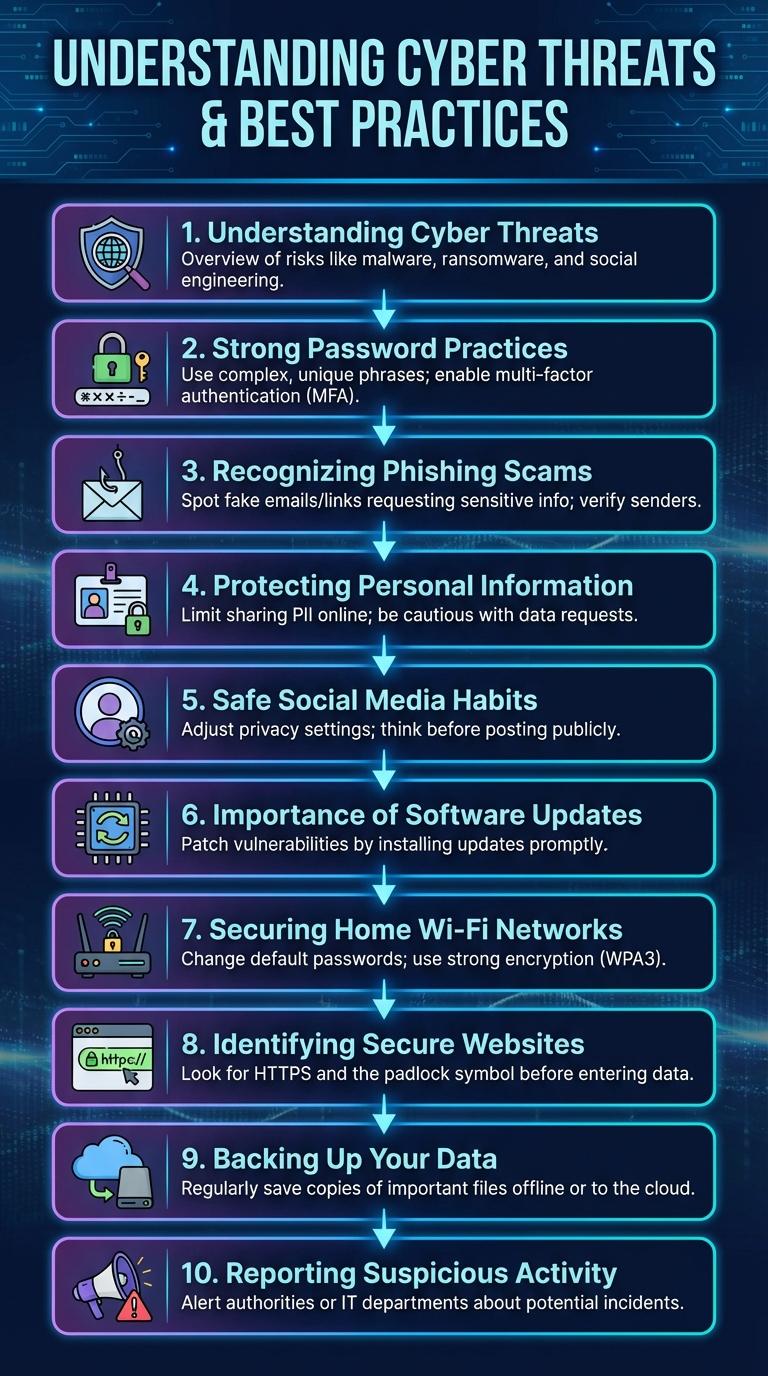
Cyber safety infographics highlight essential tips and strategies to protect personal information from online threats. They visually simplify complex topics such as password security, phishing scams, and safe browsing habits. These graphics serve as quick and effective reminders for maintaining digital privacy and security.
Understanding Cyber Threats
Cyber threats encompass various malicious activities such as phishing, malware, ransomware, and social engineering attacks targeting individuals and organizations. Recognizing different types of cyber threats is essential for effective prevention and response.
Phishing scams manipulate users into revealing sensitive information through deceptive emails or messages. Malware can infiltrate systems to steal data, disrupt operations, or demand ransom payments.
Strong Password Practices
Strong password practices are essential for protecting personal and professional online accounts from unauthorized access. Creating complex and unique passwords significantly reduces the risk of cyber attacks.
- Use Long Passwords - Passwords should be at least 12 characters to increase security and resist brute-force attacks.
- Include Mixed Characters - Combine uppercase letters, lowercase letters, numbers, and symbols to create a robust password.
- Avoid Reusing Passwords - Each account should have a unique password to prevent multiple breaches if one password is compromised.
Recognizing Phishing Scams
Phishing scams are fraudulent attempts to obtain sensitive information by disguising as trustworthy entities in electronic communications. Recognizing phishing emails involves checking for suspicious sender addresses, spelling errors, and urgent or threatening language. Never click on unexpected links or download attachments from unknown sources to protect your personal data.
Protecting Personal Information
Protecting personal information is essential in today's digital world, where cyber threats are constantly evolving. Keeping sensitive data secure helps prevent identity theft and financial loss.
Use strong, unique passwords and enable two-factor authentication on all accounts. Avoid sharing personal details on unsecured websites and be cautious with emails from unknown sources.
Safe Social Media Habits
Practicing safe social media habits is essential for protecting personal information and maintaining privacy. Awareness and caution help prevent cyber threats like identity theft and cyberbullying.
- Use Strong, Unique Passwords - Create complex passwords that differ across platforms to enhance account security.
- Adjust Privacy Settings - Regularly review and update privacy options to control who can see your content.
- Think Before You Share - Avoid posting sensitive information that could be exploited by cybercriminals.
Consistently following these guidelines reduces risks and fosters a safer social media experience.
Importance of Software Updates
| Aspect | Details |
|---|---|
| Security Patches | Software updates fix security vulnerabilities that hackers exploit to gain unauthorized access. |
| Improved Performance | Updates enhance software efficiency, reducing glitches and potential security risks from outdated code. |
| Compatibility | Regular updates ensure software works seamlessly with new hardware and other applications, preventing conflicts. |
| Protection Against Malware | Up-to-date software helps prevent malware infiltration by closing loopholes used by viruses and ransomware. |
| User Trust | Consistent updates maintain user confidence by demonstrating active protection measures and reliability. |
Securing Home Wi-Fi Networks
Securing home Wi-Fi networks is essential to protect personal data from cyber threats. Proper configuration and regular updates can significantly enhance your network's security.
- Use Strong Passwords - Create complex passwords combining letters, numbers, and symbols to prevent unauthorized access.
- Enable WPA3 Encryption - Utilize the latest Wi-Fi security protocol to safeguard data transmission over your network.
- Regular Firmware Updates - Keep your router's software up-to-date to patch vulnerabilities and improve security features.
- Disable WPS Feature - Turn off Wi-Fi Protected Setup to avoid easy network breaches through default PINs.
- Set Up a Guest Network - Isolate visitors from your main network to reduce risks of malware and data theft.
Identifying Secure Websites
How can you identify secure websites before sharing your information? Check for "https://" at the beginning of the URL, which indicates a secure connection. Look for a padlock icon near the address bar to confirm the site's security.
What types of certificates verify website security? SSL (Secure Sockets Layer) and TLS (Transport Layer Security) certificates authenticate websites and encrypt data transmissions. These certificates protect sensitive information from hackers.
Why is it important to avoid websites without security indicators? Non-secure sites leave your personal data vulnerable to interception and cyberattacks. Always prioritize sites that provide clear security signs to keep your information safe.
How do trusted domain names contribute to website safety? Recognized top-level domains like .gov, .edu, and .org often belong to reputable organizations. Beware of misspelled or suspicious domain names that mimic legitimate websites.
What role do updated browsers play in identifying secure sites? Modern browsers automatically warn users about unsafe websites and expired security certificates. Keeping your browser updated ensures you receive the latest security alerts.
Backing Up Your Data
Backing up your data is essential to protect against data loss caused by hardware failure, malware, or accidental deletion. Regular backups ensure that your important files remain safe and accessible in case of unexpected events.
Use external hard drives or cloud storage services to create backup copies of your data. Schedule automatic backups to maintain up-to-date copies without manual effort. Verify your backups regularly to confirm data integrity and successful restoration.