
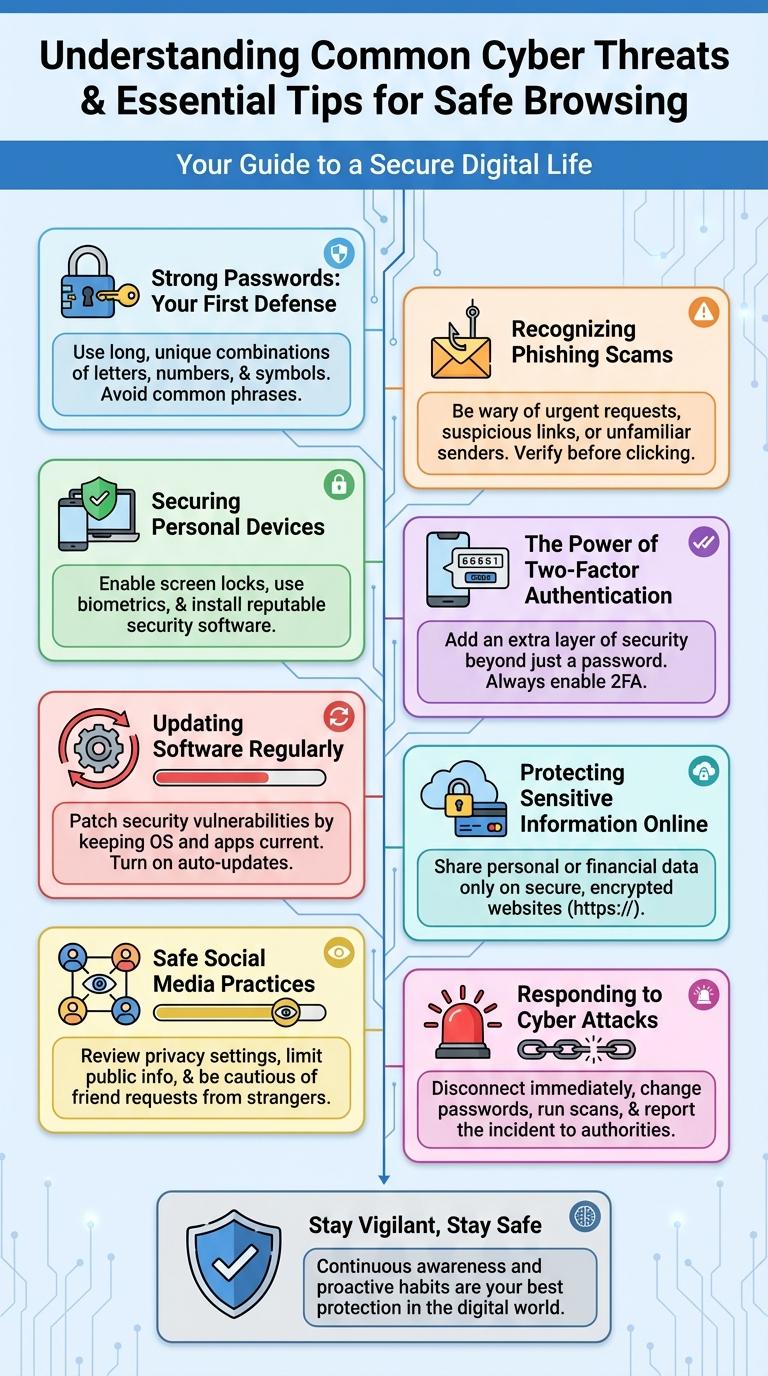
Cybercrime prevention is essential in today's digital world to protect personal and organizational data from malicious attacks. Implementing strong passwords, regularly updating software, and recognizing phishing attempts significantly reduce the risk of cyber threats. Understanding key strategies through visual infographics helps individuals and businesses stay vigilant and secure online.
Understanding Common Cyber Threats
Cybercrime prevention begins with recognizing common cyber threats. Awareness of these threats empowers individuals and organizations to protect their digital assets effectively.
- Phishing - Cybercriminals use deceptive emails or messages to steal sensitive information like passwords and credit card numbers.
- Malware - Malicious software designed to damage or gain unauthorized access to computer systems and networks.
- Ransomware - A type of malware that encrypts files, demanding payment for the decryption key.
Essential Tips for Safe Browsing
| Essential Tips for Safe Browsing | Description |
|---|---|
| Use Strong Passwords | Create complex passwords with a mix of letters, numbers, and symbols to protect online accounts from unauthorized access. |
| Enable Two-Factor Authentication | Add an extra security layer by requiring a second form of verification to confirm user identity during login. |
| Keep Software Updated | Regularly update browsers, operating systems, and antivirus software to fix security vulnerabilities. |
| Avoid Suspicious Links | Do not click on unfamiliar links or pop-ups to prevent phishing attacks and malware infections. |
| Use Secure Websites | Verify HTTPS protocol and website certificates before entering sensitive information to ensure encrypted communication. |
Strong Passwords: Your First Defense
Creating strong passwords is essential to protect your personal and professional information from cyber threats. A well-crafted password forms the first line of defense against unauthorized access.
- Use Complex Combinations - Include uppercase letters, lowercase letters, numbers, and special characters to increase password strength.
- Avoid Common Words - Refrain from using easily guessable passwords like "password" or "123456" to prevent hacking attempts.
- Regularly Update Passwords - Change your passwords periodically to reduce the risk of long-term breaches.
Recognizing Phishing Scams
Phishing scams are fraudulent attempts to obtain sensitive information by disguising as trustworthy entities. Recognizing these scams is essential to protect your personal and financial data from cybercriminals.
Look for suspicious email addresses, spelling mistakes, and urgent calls to action that create a false sense of urgency. Never click on unknown links or download attachments from unverified sources to avoid falling victim to phishing attacks.
Securing Personal Devices
Securing personal devices is essential in preventing cybercrime, as these devices often contain sensitive information vulnerable to attacks. Use strong, unique passwords and enable two-factor authentication to enhance device security. Regularly update software and install trusted security applications to protect against malware and unauthorized access.
The Power of Two-Factor Authentication
How does two-factor authentication enhance your online security?
Two-factor authentication (2FA) adds an extra layer of protection by requiring not only a password but also a second form of verification. This significantly reduces the risk of unauthorized access to your accounts.
Updating Software Regularly
Keeping your software up to date is essential for protecting your devices against cyber threats. Software updates often include patches that fix security vulnerabilities exploited by hackers.
Enable automatic updates to ensure you receive the latest security improvements without delay. Regular updates reduce the risk of malware infections and unauthorized access to your data.
Protecting Sensitive Information Online
Protecting sensitive information online is crucial to prevent cybercrime and data breaches. Understanding effective security practices enhances digital safety.
- Use Strong Passwords - Create complex passwords using a mix of letters, numbers, and symbols to deter unauthorized access.
- Enable Two-Factor Authentication - Add an extra verification layer to protect accounts from hacking attempts.
- Avoid Public Wi-Fi for Sensitive Transactions - Use secure networks or VPNs when accessing confidential information online.
Implementing these measures significantly reduces the risk of cybercrime targeting personal data.
Safe Social Media Practices
Cybercrime prevention starts with safe social media practices to protect your personal information from hackers and scammers. Understanding privacy settings and recognizing suspicious activities are key steps in safeguarding your online presence.
Use strong, unique passwords for each social media account to reduce the risk of unauthorized access. Avoid sharing sensitive details such as your home address or financial information on public profiles. Regularly update your privacy settings to control who can see your posts and personal data.