
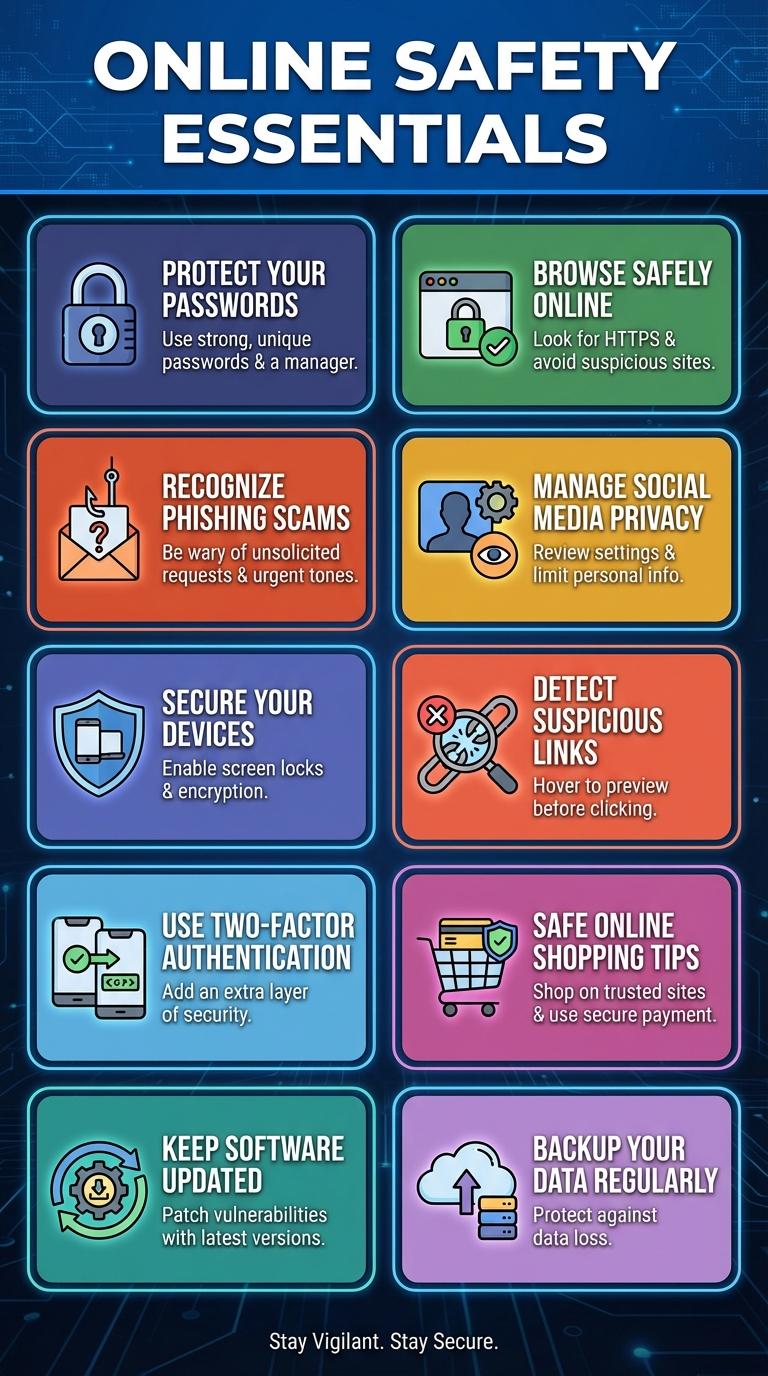
Online security infographics visually present crucial data on protecting personal information from cyber threats. They highlight common risks such as phishing, malware, and weak passwords while offering practical tips to enhance digital safety. These infographics help users understand complex security concepts quickly and effectively.
Protect Your Passwords
Protect your passwords by using strong, unique combinations of letters, numbers, and symbols for each account. Enable two-factor authentication (2FA) to add an extra layer of security beyond just your password. Regularly update your passwords and use a trusted password manager to keep them safe and easy to manage.
Recognize Phishing Scams
Recognizing phishing scams is critical to protecting personal information and preventing cyber attacks. Phishing attempts often disguise themselves as legitimate communications to steal sensitive data.
- Verify the sender's email address - Check for slight misspellings or unusual domain names that indicate a fraudulent source.
- Look for suspicious links - Hover over links to reveal the actual URL and avoid clicking on links that lead to untrusted websites.
- Be cautious with urgent requests - Phishing messages often create a sense of urgency to prompt quick, unthinking actions.
Secure Your Devices
Protecting your devices is essential to maintaining online security. Simple steps can greatly reduce the risk of cyber threats.
- Use Strong Passwords - Create complex passwords with a mix of characters to prevent unauthorized access.
- Enable Two-Factor Authentication - Adds an extra layer of security by requiring a second form of verification.
- Keep Software Updated - Regular updates patch security vulnerabilities and improve device protection.
Use Two-Factor Authentication
Two-Factor Authentication (2FA) significantly enhances online security by requiring two forms of verification before granting access. This extra layer helps protect sensitive information from unauthorized users.
Enabling 2FA reduces the risk of account breaches caused by weak or stolen passwords. Common 2FA methods include SMS codes, authentication apps, and hardware tokens. Regularly updating your authentication methods further strengthens security.
Keep Software Updated
Keeping your software updated is crucial for maintaining online security. Regular updates protect your devices from emerging threats and vulnerabilities.
- Patch Security Flaws - Updates fix known security weaknesses that hackers exploit.
- Enhance System Stability - Software updates improve performance and reduce crashes.
- Access New Features - Updates often include improved security tools and user functionalities.
Enable automatic updates to ensure continuous protection against cyber attacks.
Browse Safely Online
Browsing safely online protects your personal information from cyber threats like phishing and malware. Use strong, unique passwords and enable two-factor authentication for added security. Always update your software and avoid clicking on suspicious links to maintain a secure browsing experience.
Manage Social Media Privacy
Managing social media privacy is essential to protect personal information from cyber threats. Adjusting privacy settings controls who can view your posts, profile, and contact details.
Regularly reviewing friend lists and restricting access reduces the risk of data exposure. Using strong passwords and enabling two-factor authentication enhances account security.
Detect Suspicious Links
Detecting suspicious links is crucial to maintaining online security and protecting personal information. These links often disguise themselves as legitimate URLs to trick users into clicking and compromising their devices.
Look for irregularities such as misspelled words, unexpected domain extensions, or URLs that are excessively long. Hovering over links to preview the actual web address before clicking can help identify potential threats and avoid phishing scams.
Safe Online Shopping Tips
How can you ensure safe online shopping? Use secure websites with "https" in the URL to protect your payment information. Keep your devices updated to guard against security vulnerabilities.
What should you avoid during online shopping? Never share your passwords or personal details through email or untrusted websites. Avoid using public Wi-Fi for financial transactions to reduce the risk of interception.
Which payment methods enhance security when shopping online? Opt for credit cards or trusted payment services like PayPal to benefit from fraud protection. Avoid direct bank transfers or debit cards for added safety.
How can strong passwords improve your online shopping safety? Use unique, complex passwords for each shopping account to minimize risk if one site is compromised. Enable two-factor authentication for an additional security layer.
Why is checking website reviews important before making a purchase? Reviews help identify trusted retailers and avoid scams or counterfeit products. Researching the seller ensures a safer shopping experience.