
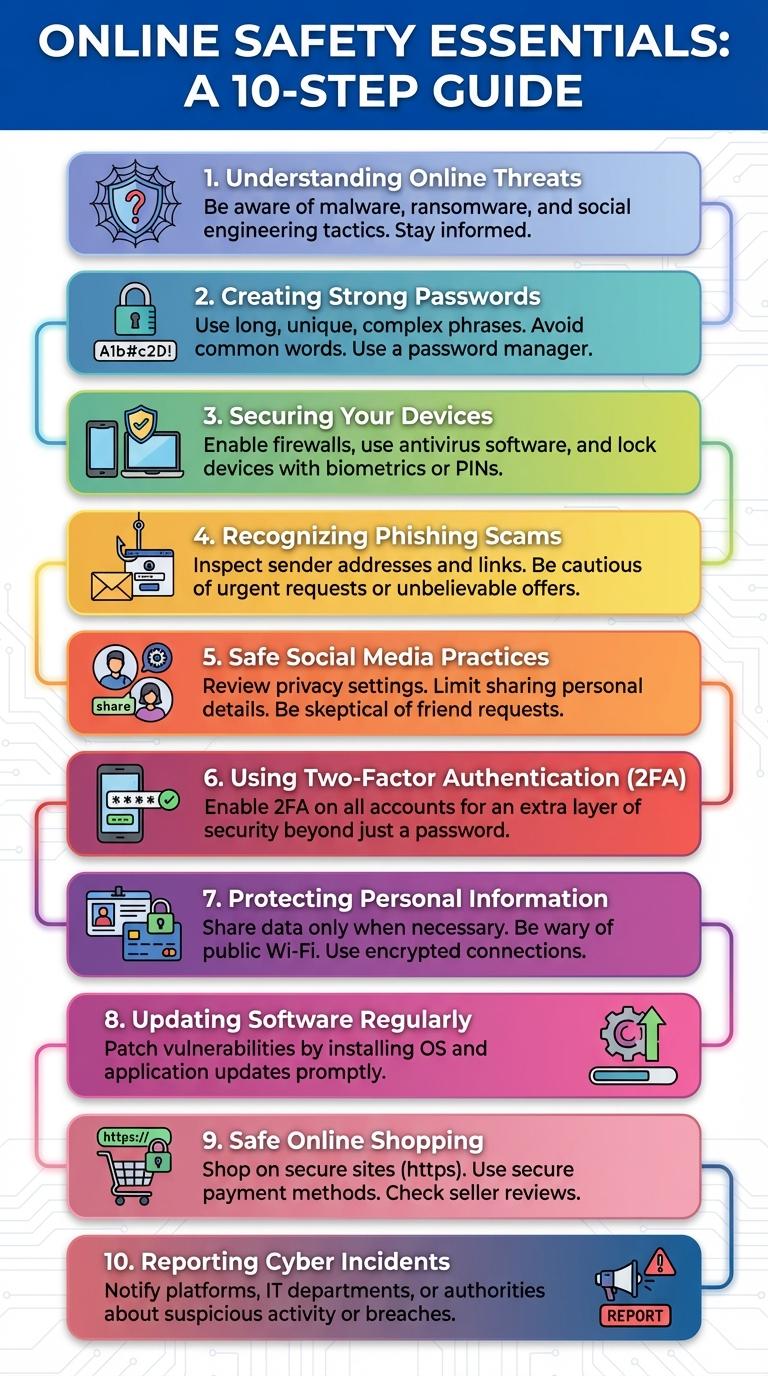
Online safety and security are essential for protecting personal information and maintaining privacy in the digital world. Understanding common cyber threats, such as phishing scams, malware, and identity theft, helps users stay vigilant and avoid risks. Implementing strong passwords, enabling two-factor authentication, and keeping software updated significantly enhance digital protection.
Understanding Online Threats
Understanding online threats is crucial for protecting personal information and maintaining digital privacy. Common threats include phishing attacks, malware, and identity theft, each designed to exploit vulnerabilities in user behavior or system security. Recognizing these dangers helps users implement effective safeguards such as strong passwords, updated software, and cautious online interactions.
Creating Strong Passwords
Creating strong passwords is essential for protecting your online accounts from unauthorized access. A robust password combines complexity and uniqueness to enhance security.
- Use a mix of characters - Combine uppercase letters, lowercase letters, numbers, and symbols to create a complex password.
- Avoid common words - Prevent using easily guessable passwords like "password" or "123456" to reduce hacking risks.
- Use password managers - Securely store and generate unique passwords for different accounts to avoid repetition.
Regularly updating passwords further strengthens online security.
Securing Your Devices
| Tip | Description |
|---|---|
| Use Strong Passwords | Create complex passwords with a mix of letters, numbers, and symbols. Avoid common words or easily guessable information. |
| Enable Two-Factor Authentication | Add an extra layer of security by linking your device to a verification method like SMS codes or authentication apps. |
| Keep Software Updated | Regularly update operating systems and apps to patch security vulnerabilities and prevent unauthorized access. |
| Install Security Software | Use reputable antivirus and anti-malware programs to detect and block threats on your devices. |
| Secure Network Connections | Connect only to trusted Wi-Fi networks and use VPNs when accessing public or unsecured internet connections. |
Recognizing Phishing Scams
Phishing scams often disguise themselves as legitimate emails or messages to steal personal information. Recognize suspicious links, unexpected requests for sensitive data, and poor grammar as red flags. Always verify the sender's identity before clicking on any links or providing details.
Safe Social Media Practices
Social media platforms are common targets for cyber threats like phishing and identity theft. Practicing safe social media habits helps protect personal information and maintain digital privacy.
Use strong, unique passwords and enable two-factor authentication to secure accounts. Be cautious about sharing location and personal details publicly to reduce risks of data exposure.
Using Two-Factor Authentication
Enhancing online security requires more than just strong passwords; two-factor authentication (2FA) adds an essential layer of protection. Using 2FA significantly reduces the risk of unauthorized account access by requiring a second verification step.
- What is Two-Factor Authentication? - A security process that requires two different forms of identification to access an account.
- Common 2FA Methods - Includes SMS codes, authenticator apps, and biometric verification for added security.
- Benefits of Using 2FA - Prevents hacking attempts by making it harder for attackers to bypass login credentials.
Protecting Personal Information
Protecting personal information online is crucial to maintaining privacy and avoiding identity theft. Cybercriminals often target sensitive data such as passwords, social security numbers, and banking details.
Use strong, unique passwords for each account and enable two-factor authentication whenever possible. Regularly update software and be cautious about sharing personal information on social media platforms.
Updating Software Regularly
Keeping software up-to-date is crucial for protecting devices from security vulnerabilities and cyber threats. Regular updates patch security holes and improve system performance.
Automatic updates help ensure the latest protections are installed without delay. Ignoring updates can expose computers and mobile devices to malware and hacking attempts. Users should enable update notifications and install updates promptly to maintain online safety.
Safe Online Shopping
How can you ensure safe online shopping? Protect your financial information by using secure websites with HTTPS encryption. Always verify the authenticity of the seller before making a purchase.
What payment methods are safest for online transactions? Use credit cards or trusted payment services like PayPal to reduce fraud risks. Avoid using debit cards or direct bank transfers on unknown websites.
How important is password security in online shopping? Strong, unique passwords prevent unauthorized access to your shopping accounts. Enable two-factor authentication wherever possible for extra protection.
Why should you review a website's privacy policy? Understanding data collection practices helps you avoid sharing sensitive information unnecessarily. Ensure the site does not sell your data to third parties.
What steps can you take if your online purchase seems suspicious? Contact your bank or credit card company immediately to report fraudulent activity. Monitor your accounts regularly for unauthorized charges.