
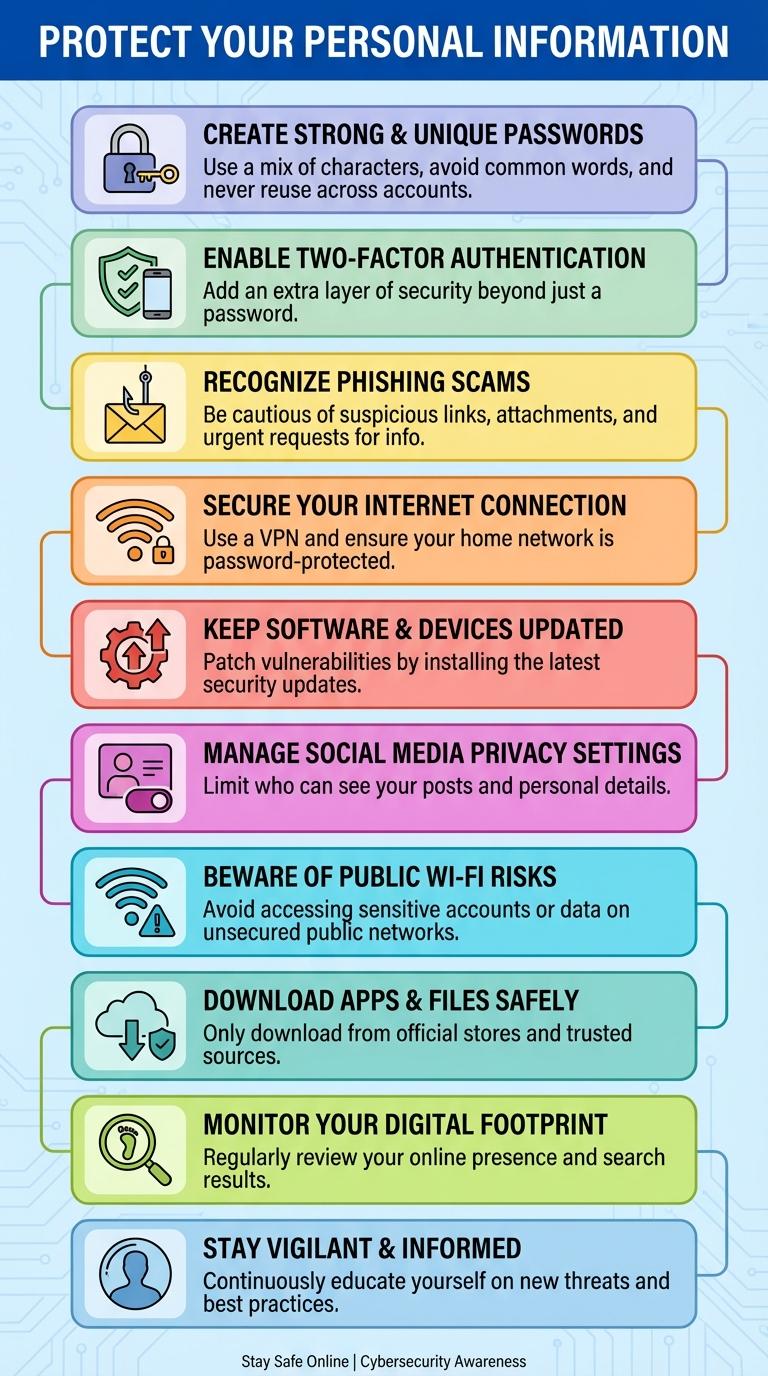
Online safety tips help protect personal information and prevent cyber threats in a digital world. Following simple practices like using strong passwords, enabling two-factor authentication, and recognizing phishing attempts significantly reduces the risk of data breaches. Staying informed about online security ensures a safer internet experience for individuals and businesses alike.
Protect Your Personal Information
| Tip | Description |
|---|---|
| Use Strong Passwords | Create complex passwords with letters, numbers, and symbols to prevent unauthorized access. |
| Enable Two-Factor Authentication | Add an extra layer of security by requiring a second verification step during login. |
| Avoid Sharing Sensitive Details | Keep personal data such as your address, phone number, and financial information private on social media. |
| Update Privacy Settings | Regularly review and adjust privacy controls on apps and websites to limit data exposure. |
| Be Cautious with Public Wi-Fi | Do not access personal accounts or share sensitive information over unsecured public networks. |
Create Strong and Unique Passwords
Creating strong and unique passwords is essential to protect your online accounts from unauthorized access. Use a combination of uppercase and lowercase letters, numbers, and special characters to increase password complexity. Avoid using easily guessable information like birthdays or common words to enhance security.
Enable Two-Factor Authentication
Protect your online accounts by enabling Two-Factor Authentication (2FA). This security layer requires a second form of verification beyond just your password.
- Enhances Security - 2FA prevents unauthorized access even if your password is compromised.
- Multiple Verification Methods - Use SMS codes, authenticator apps, or hardware tokens for added protection.
- Easy to Enable - Most online platforms offer simple steps to activate 2FA in account settings.
Enable Two-Factor Authentication today to significantly reduce the risk of cyber attacks.
Recognize Phishing Scams
Phishing scams are fraudulent attempts to obtain sensitive information by disguising as trustworthy entities. Recognizing these scams is essential to protect personal data and financial security online.
Identify suspicious links and unusual sender addresses to avoid falling victim to phishing attacks.
- Check email sender details - Verify the sender's email address for inconsistencies or misspellings that indicate a phishing attempt.
- Avoid clicking unknown links - Hover over links to see the actual URL before clicking to ensure it directs to a legitimate website.
- Be cautious with urgent requests - Phishing messages often create a sense of urgency to prompt quick actions without verification.
Secure Your Internet Connection
Protect your online activities by securing your internet connection with strong encryption methods like WPA3. Use a reputable VPN to mask your IP address and safeguard your data from cyber threats.
Regularly update your router's firmware to patch security vulnerabilities and prevent unauthorized access. Avoid using public Wi-Fi for sensitive transactions unless connected through a trusted VPN service.
Keep Software and Devices Updated
Keeping software and devices updated is essential for protecting against security vulnerabilities. Regular updates ensure that the latest patches and improvements are applied to safeguard your data and privacy.
- Install Updates Promptly - Apply software and device updates as soon as they are available to protect against new threats.
- Enable Automatic Updates - Turn on automatic update settings to ensure continuous protection without manual intervention.
- Update All Devices - Keep operating systems, applications, and connected devices, including smartphones and routers, consistently updated for comprehensive security.
Manage Social Media Privacy Settings
Managing social media privacy settings is essential to protect personal information from unauthorized access. Adjusting these settings controls who can view your posts and interact with your profile.
Review privacy options regularly across all social media platforms to limit visibility to trusted connections only. Disable location sharing to prevent revealing your whereabouts. Use strong, unique passwords and enable two-factor authentication for extra security.
Beware of Public Wi-Fi Risks
Are public Wi-Fi networks safe to use for sensitive activities? Public Wi-Fi can expose your personal data to hackers due to weak encryption. Avoid accessing banking or private accounts when connected to unsecured networks.
How can you protect your information on public Wi-Fi? Use a Virtual Private Network (VPN) to encrypt your internet connection. This adds a layer of security and keeps your data private from potential cyber threats.
What types of attacks commonly occur on public Wi-Fi? Man-in-the-middle attacks intercept communication between your device and the internet. These attacks allow hackers to steal login credentials, personal information, and financial data.
Should you enable file sharing on public networks? Disable file sharing settings to prevent unauthorized access to your device. Keeping these settings off reduces the risk of malware infections and data breaches.
Is it important to update your software when using public Wi-Fi? Regularly updating your operating system and applications patches security vulnerabilities. Updated software helps protect against exploits that hackers use on public networks.
Download Apps and Files Safely
Downloading apps and files from trusted sources reduces the risk of malware infections. Always verify the app publisher and check user reviews before proceeding.
Enable automatic updates to keep apps secure with the latest patches. Avoid downloading files from unknown links or unsolicited emails to protect your device.