
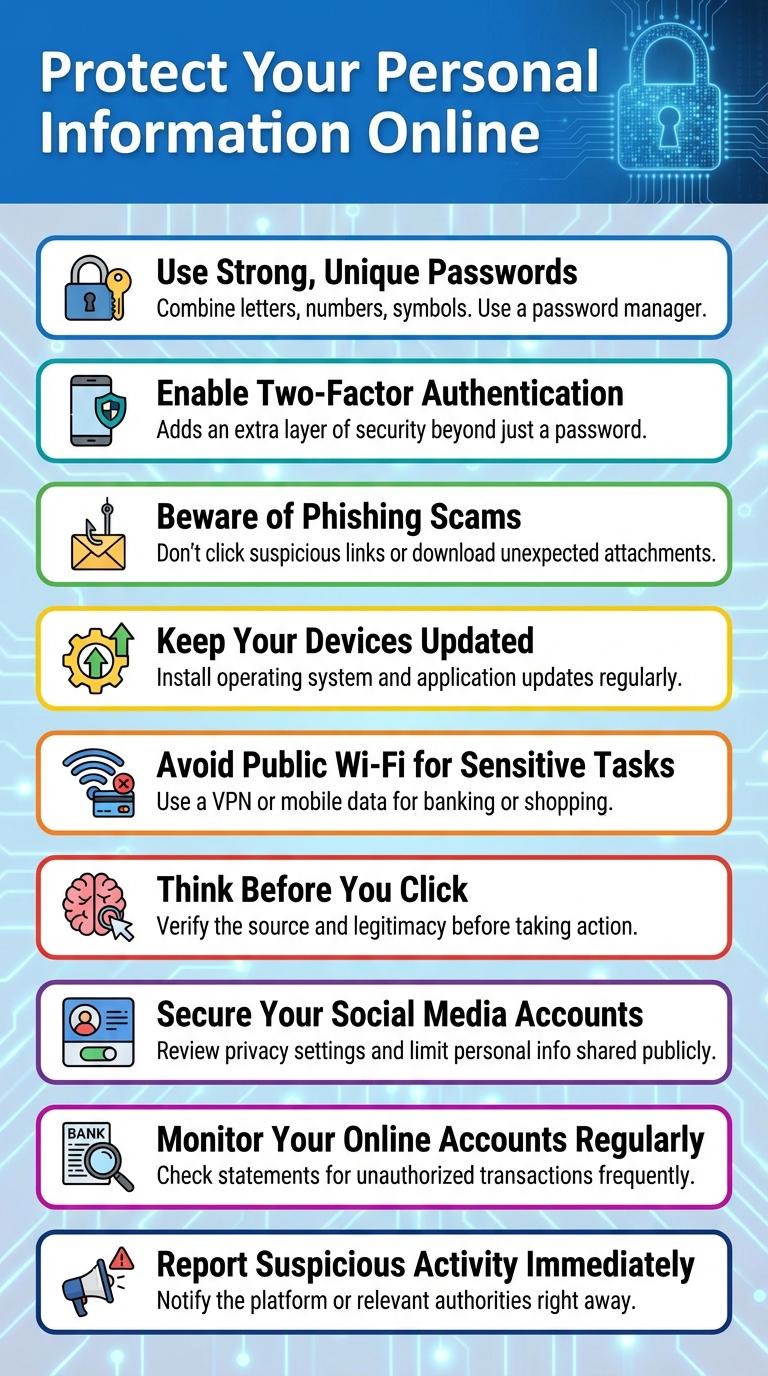
Protecting personal information and recognizing potential cyber threats are essential steps to stay safe online. Using strong passwords, updating software regularly, and being cautious of suspicious links help reduce the risk of hacking and identity theft. Adopting these habits creates a safer digital environment for everyday internet users.
Protect Your Personal Information Online
Protecting your personal information online is essential to avoid identity theft and privacy breaches. Understanding key safety measures helps maintain your digital security.
- Use Strong Passwords - Create complex passwords with a mix of letters, numbers, and symbols to prevent unauthorized access.
- Enable Two-Factor Authentication - Add an extra layer of security by requiring a second form of verification when logging in.
- Limit Sharing Personal Details - Avoid posting sensitive information like your address or phone number on social media platforms.
- Update Privacy Settings - Regularly review and adjust privacy controls on apps and websites to restrict data access.
- Beware of Phishing Scams - Do not click on suspicious links or provide personal info in response to unsolicited messages.
Following these steps significantly reduces the risk of your personal information being compromised online.
Use Strong, Unique Passwords
Protecting your online accounts begins with creating strong, unique passwords. These passwords act as the first line of defense against cyber threats and unauthorized access.
Using varied and complex passwords reduces the risk of hacking and keeps your personal information secure.
- Use a mix of characters - Combine uppercase, lowercase, numbers, and symbols to increase password strength.
- Create unique passwords - Avoid reusing passwords across multiple sites to prevent widespread access if one is compromised.
- Utilize a password manager - Securely store and generate complex passwords to manage multiple accounts efficiently.
Enable Two-Factor Authentication
What is two-factor authentication and why is it important? Two-factor authentication (2FA) adds an extra layer of security by requiring a second form of verification beyond just a password. Enabling 2FA helps protect your accounts from unauthorized access, even if your password is compromised.
Beware of Phishing Scams
Phishing scams trick users into revealing personal information by posing as legitimate sources. Always verify the sender's email address and avoid clicking on suspicious links or attachments. Use two-factor authentication to add an extra layer of security to your accounts.
Keep Your Devices Updated
| Tip | Description |
|---|---|
| Enable Automatic Updates | Set devices to update software and security patches automatically to protect against vulnerabilities. |
| Update Operating Systems | Regularly install the latest OS updates to improve device performance and security features. |
| Keep Applications Current | Update apps and browsers frequently to fix bugs and close security loopholes. |
| Check Update Notifications | Respond promptly to update alerts from your device or software providers to maintain protection. |
| Use Trusted Sources | Download updates only from official websites or app stores to avoid malicious software. |
Avoid Public Wi-Fi for Sensitive Tasks
Using public Wi-Fi for sensitive tasks exposes your data to potential hackers. Public networks often lack strong encryption, making it easier for attackers to intercept your information. Always use a secure, private connection or a trusted VPN when handling confidential activities online.
Think Before You Click
Think before you click to protect your personal information from cyber threats. Malicious links can lead to phishing scams, malware, and identity theft.
Verify the source of emails and messages before opening links or attachments. Always hover over links to preview URLs and avoid suspicious websites.
Secure Your Social Media Accounts
Protect your online presence by securing your social media accounts with strong, unique passwords. Enable two-factor authentication (2FA) to add an extra layer of security against unauthorized access.
Review and adjust your privacy settings regularly to control who can see your posts and personal information. Avoid sharing sensitive details that can be used to guess security questions or passwords.
Monitor Your Online Accounts Regularly
Regularly monitoring your online accounts helps detect suspicious activity early. Prompt action can prevent potential security breaches and protect your personal information.
Check your account statements and login history frequently for unfamiliar transactions or login locations. Enable notifications for login attempts and changes to account settings. Use strong, unique passwords and update them periodically to maintain account security.