
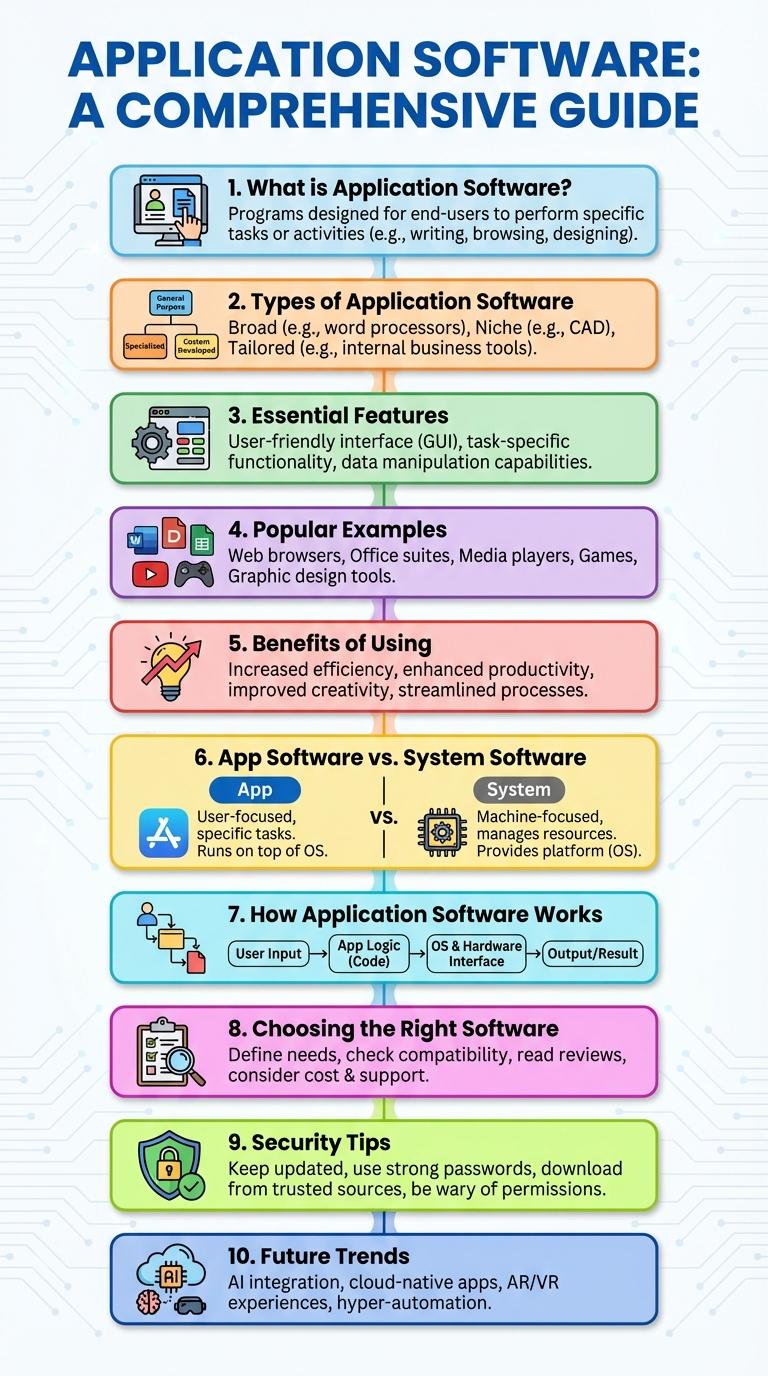
Application software encompasses programs designed to perform specific tasks for users, enhancing productivity and entertainment. These tools range from word processors and spreadsheets to media players and communication platforms. Understanding their types and functions helps maximize the benefits of technology in daily activities.
What is Application Software?
Application software comprises programs designed to perform specific tasks for users. It enables interaction with hardware to fulfill user-driven objectives efficiently.
- Definition - Software tailored to carry out particular functions like word processing or data management.
- Purpose - Facilitates user activities by providing tools to complete tasks effectively.
- Examples - Includes programs such as Microsoft Word, web browsers, and media players.
Application software bridges user needs and computer capabilities, enhancing productivity and entertainment.
Types of Application Software
Application software consists of programs designed to perform specific tasks for users. These software types enable users to complete work, entertain, and communicate efficiently.
Popular types include productivity software, multimedia software, and communication software. Each type serves distinct purposes to enhance user experience and functionality.
Essential Features of Application Software
Application software enables users to perform specific tasks efficiently and effectively. It includes programs designed for productivity, creativity, and communication.
- User Interface - Provides an intuitive and easy-to-navigate interface for seamless interaction with users.
- Functionality - Offers specialized tools and features tailored to users' specific needs and tasks.
- Compatibility - Supports various operating systems and integrates smoothly with other software applications.
Popular Examples of Application Software
Application software enables users to perform specific tasks on computers and mobile devices. Popular examples cater to diverse functions such as productivity, communication, and entertainment.
- Microsoft Word - A leading word processing application used worldwide for document creation and editing.
- Google Chrome - A widely used web browser offering fast, secure internet browsing with extensive extensions.
- Adobe Photoshop - Industry-standard software for photo editing and graphic design professionals.
- Slack - A communication platform designed to enhance team collaboration and messaging.
- Spotify - A popular music streaming application providing access to millions of songs and podcasts.
Benefits of Using Application Software
Application software enhances productivity by automating tasks and simplifying complex processes. It provides tailored solutions that meet specific user needs across various industries.
Using application software improves accuracy and reduces human error in data management. It also facilitates better communication and collaboration through integrated tools and platforms.
Application Software vs. System Software
| Application Software | System Software |
|---|---|
| Designed to perform specific user tasks such as word processing, spreadsheets, and media players. | Manages hardware and provides a platform for other software, including operating systems and utilities. |
| Examples include Microsoft Office, Adobe Photoshop, and web browsers like Chrome. | Examples include Windows OS, Linux, device drivers, and antivirus programs. |
| Interfaces directly with users to facilitate productivity and entertainment. | Operates in the background, controlling hardware resources and system stability. |
| Requires system software to run effectively on a device. | Essential for booting, running, and maintaining the computer system. |
| Updates and installations are usually user-initiated. | Updates often managed automatically to ensure security and compatibility. |
How Application Software Works
How does application software work to perform tasks for users?
Application software operates by receiving input from users, processing data using specific algorithms, and delivering output that fulfills user needs. It interacts with the operating system and hardware to execute commands and provide a seamless user experience.
Choosing the Right Application Software
Choosing the right application software enhances productivity and meets specific user needs effectively. Proper selection avoids compatibility issues and maximizes software utility.
Identify the primary function the software must perform, such as word processing, graphic design, or data management. Evaluate system requirements and ensure compatibility with existing hardware and operating systems. Consider user reviews and support options to guarantee reliability and ease of use.
Security Tips for Application Software
Application software is essential for performing specific tasks on computers and mobile devices, making security a top priority. Protect software from threats by regularly updating applications, using strong passwords, and enabling two-factor authentication. Implementing these security measures helps prevent unauthorized access and ensures data integrity.